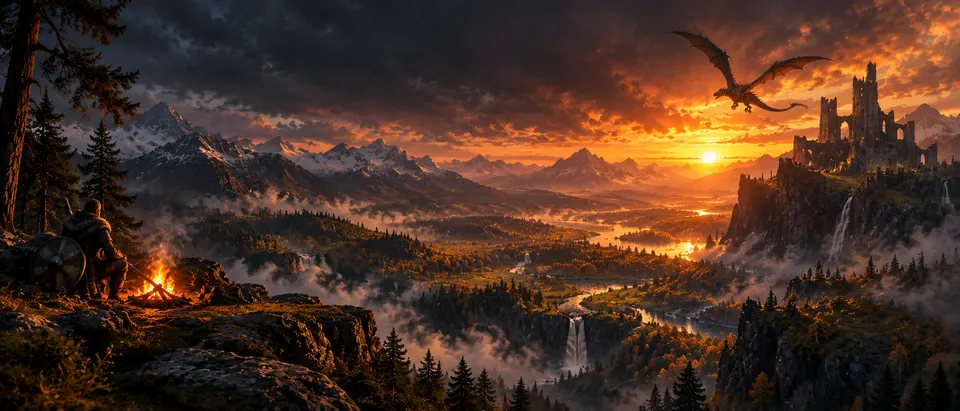
RuneScape: Dragonwilds server hosting
Rent a private RuneScape: Dragonwilds server that runs around the clock, with no hour limits. Pick a plan and a region, click deploy, and your friends can join within minutes. Backups and updates are included.
Updated 2026-11-06
Hallowfell
Online · 3/6- Invite code
- K7QM-4HXT
- Password
- ••••••••
- Plan
- Hearth
What a Dragonwilds world from Wyrm Host includes
Every world runs the official Dragonwilds dedicated server, the same build you would run yourself, on hardware we manage. You get a private, password-protected world that keeps running whether anyone is playing or not, with your in-game Owner Id set before the world is built so admin and owner commands work from the first join.
- Hourly backups and controlled auto-update windows
- Bring an existing world by uploading its save, and download your save any time
- A live dashboard: players online, CPU, memory, uptime, update status
- Crossplay: friends on PC, PS5, Xbox Series X|S and Switch 2 all join the same world
- Every server setting open to you: world name and password, crossplay policy, admin and allow lists
- Regions in US East, US Central, US West, Frankfurt (EU) and London (UK), all at the same price
- One flat monthly price with no metering or overage charges
Plans
Every plan is one flat subscription with no usage cap. Pay yearly for the lowest per-month rate, or month to month and cancel any time. How the price per player compares.
 Hearth
 Keep
 Stronghold
| Plan | vCPU / RAM | Players | From |
|---|---|---|---|
| Hearth | 4 vCPU · 8 GB | 6 | $6.99/mo billed yearly |
| Keep | 6 vCPU · 12 GB | 10 | $11.99/mo billed yearly |
| Stronghold | 8 vCPU · 24 GB | 20 | $19.99/mo billed yearly |
See the full pricing page for the monthly/yearly switch, add-ons, and what every plan includes.
How many players can join?
Hearth (up to 6 players) and Keep (up to 10) are standard plans; only Stronghold (up to 20 players) is experimental. The Dragonwilds dedicated server seats 6 players by default; we raise that limit on the bigger plans, so a group of up to 10 fits on a standard plan.
Console players count the same as PC players: anyone on PC, PS5, Xbox Series X|S and Switch 2 can join. See crossplay on a Dragonwilds server for the one setting each console needs.
Regions
Pick the region closest to your group. They all cost the same:
- US East
- US Central
- US West
- Frankfurt (EU)
- London (UK)
How a deploy works
- Pick a plan and region. Choose the tier that fits your group and the region closest to them.
- Name your world and set your Owner Id. Your in-game Owner Id goes onto the world when it is built, so owner commands work from your first join.
- Deploy and get a connect address. We place the world on one of our hosts, install the dedicated server, and confirm it runs. Share the world name and password with your friends.
The specs underneath
Each world runs the official Dragonwilds dedicated-server build (Steam app 4019830) on 64-bit Linux, listening on a single UDP port. We handle the install, the config (OwnerId, ServerName, DefaultWorldName, AdminPassword), the port, and the update windows. See how a Dragonwilds dedicated server is set up if you want to run one yourself instead.
How we compare
| Feature | Wyrm Host | Shockbyte | GPORTAL | Nitrado | Self-host |
|---|---|---|---|---|---|
| Setup | Deploy from your browser | Rent from a panel | Rent from a panel | Rent from a panel | Install, configure, and keep a machine on |
| Player slots | Up to 10, or 20 on the experimental tier | Up to 6 | 6 | 6 | Whatever your PC can carry |
| Console crossplay | PC, PS5, Xbox Series X|S and Switch 2 | Yes | Yes | Yes | Consoles can join; the server itself runs on a PC |
| Automatic updates | Yes | Yes | Yes | Not stated | You run them |
| Backups | Hourly, kept 7 days | Automatic; frequency not stated | By hand, from the panel | Daily, automatic | By hand |
| Bring your own save | Upload and download from your dashboard | Upload from the file manager, then set the world name in the config by hand | Save Import in the panel | Upload through the file browser, then set the world name in the config by hand | It is already your file |
| Port forwarding | None | None | None | None | Required |
| Full server config | Yes | Yes | Yes | Yes | Yes |
| Custom world rules | XP gain, keeping your inventory, enemy strength — from your dashboard | World-settings save editor in the panel | Server config only | Server config only | Only by building the world in the game and copying the save in |
| Monthly price | From $7.99, or $6.99/mo billed yearly | $19.99 for 6 players ($9.99 for 2) | $10.99 per 30 days in the US, $10.23 in Frankfurt and London | $9.79 per 30 days | Electricity, plus a PC that stays on |
| Support | Discord and email | Ticket desk | Ticket desk | Not stated | You |
Shockbyte, GPORTAL and Nitrado details are as published on their own sites on 13 October 2026 and may have changed since; "Not stated" means their Dragonwilds page did not say. Those names belong to their owners; Wyrm Host is not affiliated with any of them.
Frequently asked questions
What is Wyrm Host?
Wyrm Host is private server hosting for RuneScape: Dragonwilds. You choose a region and a plan, and we set up a private server your friends can join with an invite code and a password, usually within a few minutes. Everyone needs their own copy of the game.
Can I bring my existing world?
Yes. If your group has been playing on someone's PC or with another host, upload that world's save file from your world dashboard. The server restarts on it with your builds and items where you left them. You can also download the save at any time, as a backup, to play offline, or to move it elsewhere.
What happens to my world if I cancel?
Your world keeps running until the end of the period you already paid for. Then it is stopped, and we keep its save for 30 days and email you the date: subscribe again from the world's page before then and the same world comes back with its save. After that the world and its save are deleted. You can download the save from your world dashboard at any time; it is the same file the game uses, so you can load it on your own PC, or upload it to a new world later and carry on from where you stopped.
How does billing work?
Each world is one flat subscription. There is no metering or overage charge. Paying yearly costs $1 a month less on every tier and is charged once a year; monthly plans can be cancelled any time from the billing portal, and the world keeps running until the end of the period you paid for. New accounts get 20% off the first month of a monthly plan on their first world.
Where do I find my Owner ID?
In Dragonwilds, open the main menu, go to Settings, and look at the bottom left for “My Player ID”. Copy that value into the deploy form. It is what gives you owner commands inside your world, so we ask for it before the world is built rather than after.
Can I pay yearly?
Yes, on every tier, and it works out cheaper: Hearth is $6.99 a month billed yearly ($83.88) or $7.99 month to month, Keep is $11.99 yearly ($143.88) or $12.99 monthly, and Stronghold is $19.99 yearly ($239.88) or $20.99 monthly. The first-month discount only applies to a first monthly invoice, so it does not stack with yearly plans, which are already $12 a year cheaper.
Skip the setup — deploy a Dragonwilds world instead
Wyrm Host runs the host, installs the dedicated server, and hands you a connect address, online in minutes with backups and auto-updates handled for you.
See plans and pricingRelated guides
 RuneScape: Dragonwilds dedicated servers, explained
 Dragonwilds crossplay dedicated servers
 How to set up a Dragonwilds dedicated server
Wyrm Host is an independent hosting service and is not affiliated with, endorsed by, or sponsored by Jagex. RuneScape: Dragonwilds and RuneScape are trademarks of Jagex Ltd. You need your own copy of the game to play. Facts on this page about Dragonwilds's own dedicated-server software are sourced from Jagex's official guide and the community wiki; verify against them if a game update has landed since 2026-11-06.